Developer Commits
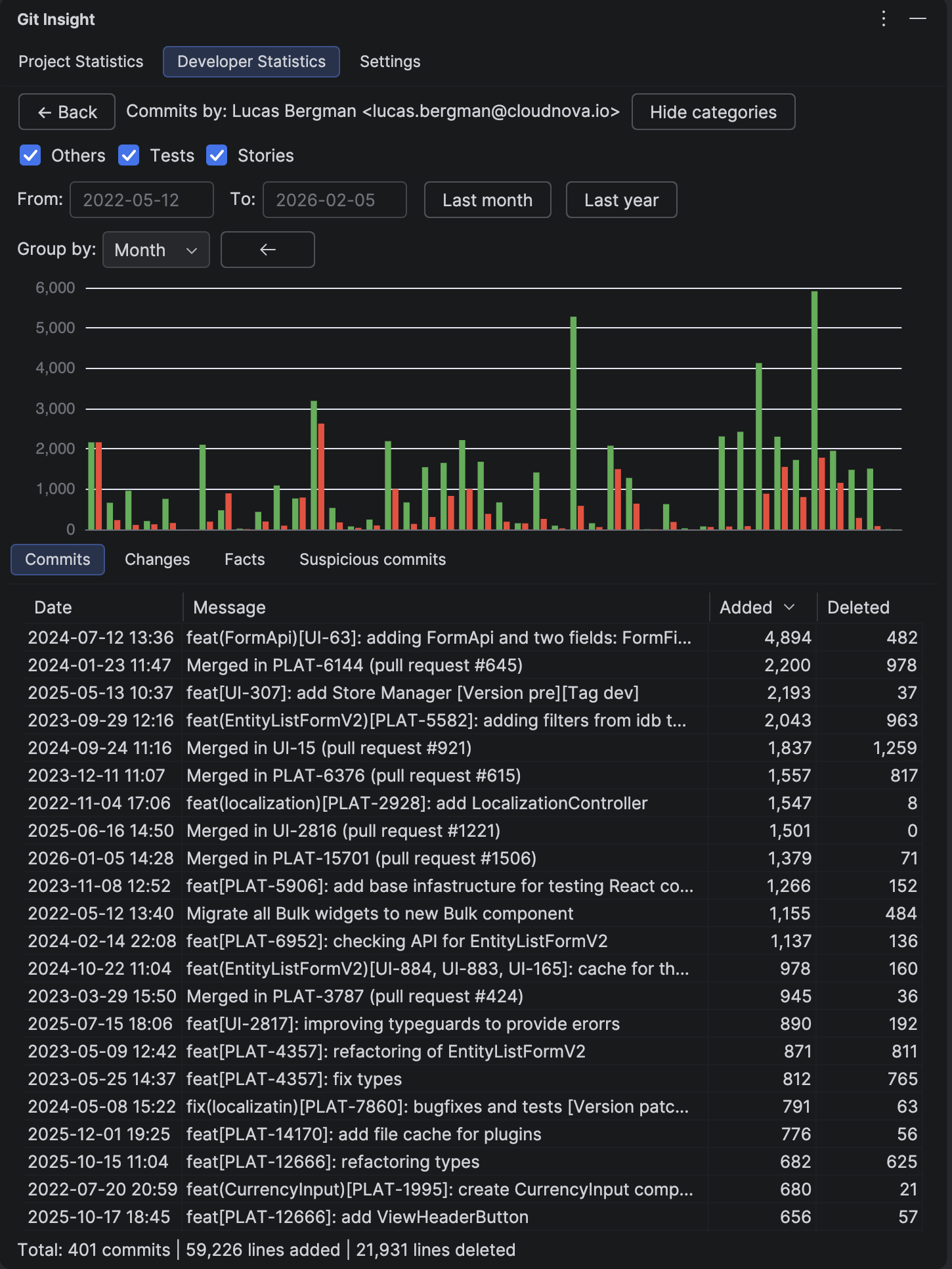
See every commit made by a developer in a sortable table. Perfect for understanding individual contribution patterns and drilling down into specific changes.
Key Features
- Complete list of commits by a single developer
- Date, message, lines added, and lines deleted for each commit
- Sortable by any column
- Date range filtering inherited from main panel
- Personal contribution chart
- Four tabs: Commits, Changes, Facts, Suspicious
Columns
- Date — commit date/time in your local format
- Message — commit subject line
- Added — lines added in this commit
- Deleted — lines deleted in this commit
How to Use
View Commit Details
Double-click any commit to open the Commit Details panel. There you can see the full commit message, file tree, and even open diffs.
Filter by Date
Use the date pickers or quick filter buttons to narrow down the time period. This is useful for preparing reports or reviewing recent work.
Context Menu
Right-click on a commit for additional options:
- Exclude commit from statistics — removes this commit from all calculations
- Mark as not suspicious — if the commit was flagged incorrectly
Tabs
The panel has four tabs showing different views of the developer's work:
- Commits — the main commit table shown above
- Changes — aggregated file tree, see Developer Changes
- Facts — personal metrics, see Project Facts
- Suspicious — this developer's flagged commits, see Suspicious Commits
Tip
If a developer commits from multiple Git identities (different email addresses), use Merge Developers to combine them first. Then this view will show all their commits together.