Extension Details
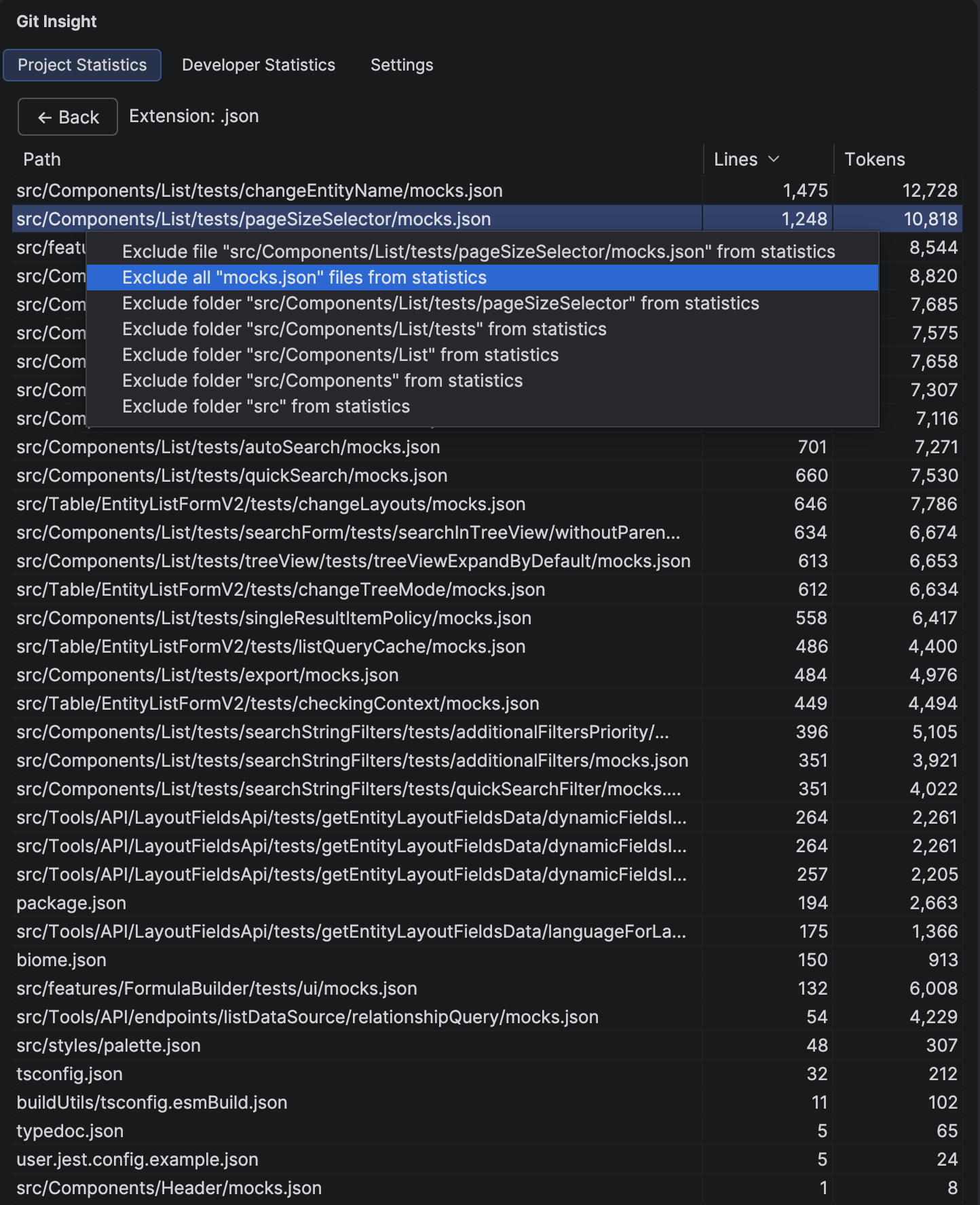
Drill down from project statistics to see all individual files of a specific extension, with line and token counts for each file.
Key Features
- List of all files matching the selected extension
- Line and token counts per file
- Click to open file in editor
- Context menu for adding exclusion patterns
- Sortable by path, lines, or tokens
Columns
- Path — relative file path from project root
- Lines — non-empty lines in this file
- Tokens — estimated LLM token count
How to Use
Open Files
Click on any file path to open it directly in the editor. This lets you quickly inspect files that seem unusually large or small.
Add Exclusions
Right-click on a file to access the exclusion menu:
- Exclude this file — adds the exact file path to exclusions
- Exclude all files named X — excludes files with this name in any directory
- Exclude folder X — excludes an entire folder at various levels
Navigate Back
Click the back button to return to the Project Statistics summary view.
Tip
Large generated files (like package-lock.json or compiled bundles) can skew your statistics. Use the exclusion menu to quickly remove them from analysis.