Suspicious Commits
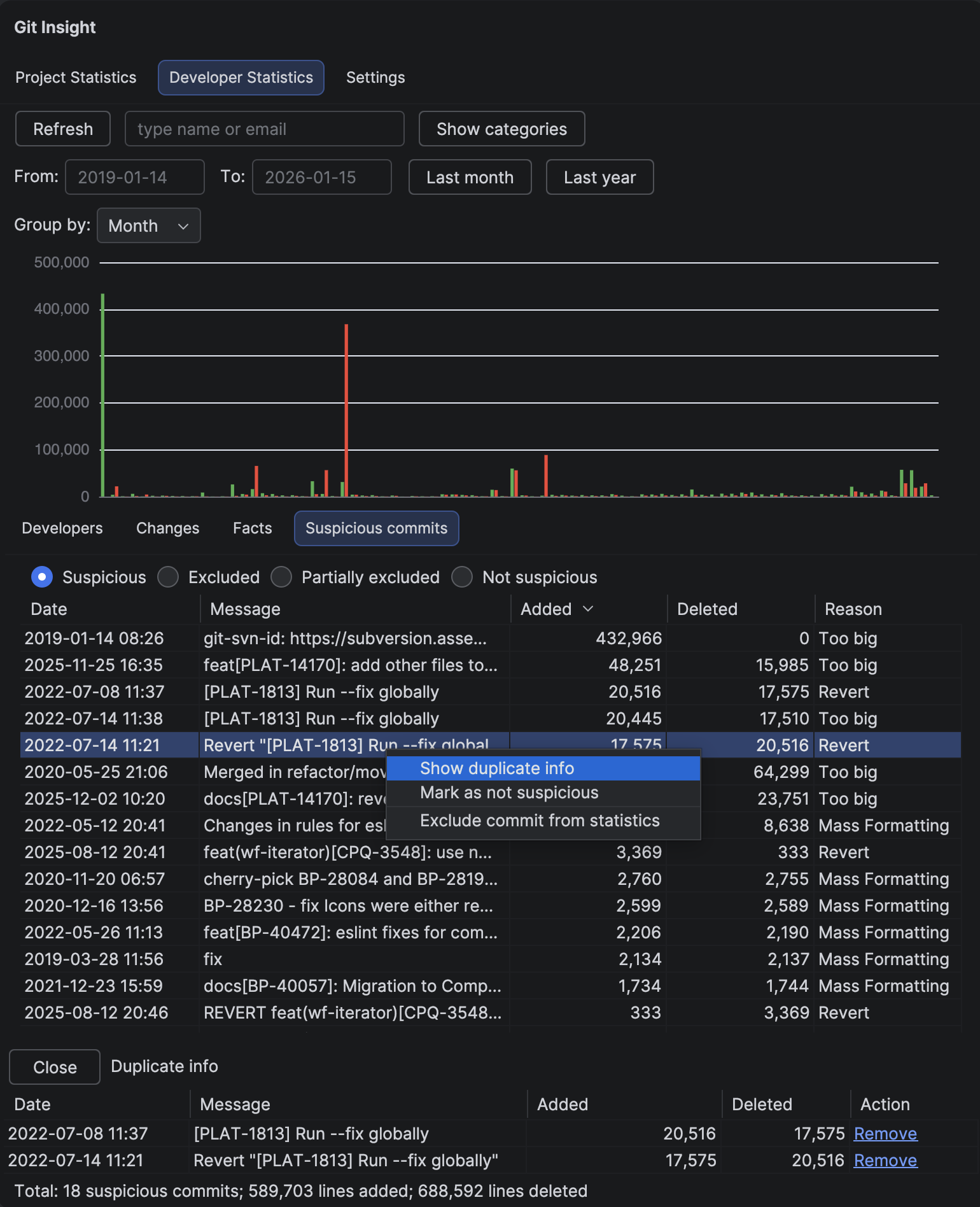
Automatically detect commits that might unfairly skew statistics — mass formatting, duplicates, reverts, and unusually large changes. Review them and decide whether to exclude them from calculations.
Key Features
- Automatic detection of problematic commit patterns
- Clear reason labels explaining why each commit was flagged
- Option to exclude commits from statistics
- Mark false positives as "not suspicious"
- View related commits for duplicates and reverts
Detection Types
Mass Formatting
Commits that are significantly larger than average with balanced add/delete ratios. Typically caused by running code formatters, linters, or IDE auto-format on the entire codebase.
Too Big
Commits that are dramatically larger than the average commit size. These might be legitimate (large feature merges) or problematic (generated code, vendored dependencies).
Duplicate
Commits that modify the same files with similar line counts as another commit. Can indicate cherry-picks, replayed commits, or accidental duplicate work.
Revert
Commits that undo the changes from a previous commit. Detected by matching inverse add/delete patterns on the same files.
How to Use
Review Flagged Commits
Double-click any suspicious commit to open Commit Details and inspect the actual changes. This helps you decide whether the flag is legitimate.
Exclude from Statistics
Right-click and select "Exclude commit from statistics" to remove the commit from all calculations. Useful for formatting commits or generated code.
Mark as Not Suspicious
If a commit was flagged incorrectly, right-click and select "Mark as not suspicious". This moves it to the "Not suspicious" list and prevents it from appearing in the main suspicious table.
View Related Commits
For Duplicate and Revert types, hover over the Reason column to see related commit hashes. Right-click and select "Show duplicate info" to see a detailed comparison panel.
Filter Options
Use the radio buttons to switch between views:
- Suspicious — commits flagged by automatic detection
- Excluded — commits you've manually excluded
- Partially excluded — commits where only some files are excluded
- Not suspicious — commits you've marked as legitimate
Tip
Before running a code formatter on your entire codebase, consider making the formatting commit from a dedicated "bot" account. Then you can easily identify and exclude all formatting changes without affecting human developer statistics.