Multi-Repository Support
Add external git repositories to your current IDE project and view aggregated statistics across all of them, or drill into a single repo. Perfect for monorepos, microservices, and teams working across multiple related projects.
Key Features
- Add any number of external git repositories by absolute or project-relative path
- Repository selector in the toolbar of Project Statistics and Developer Statistics
- Quick actions: "Only current", "All", or pick specific repositories via checkboxes
- Parallel scanning across selected repositories with per-repo caching
- Per-repository exclusion patterns, developer merges, and categories
- Isolated suspicious commit detection per repository (averages are not mixed across repos)
- Bidirectional cross-project settings synchronization for multi-repo workflows
Adding a Repository
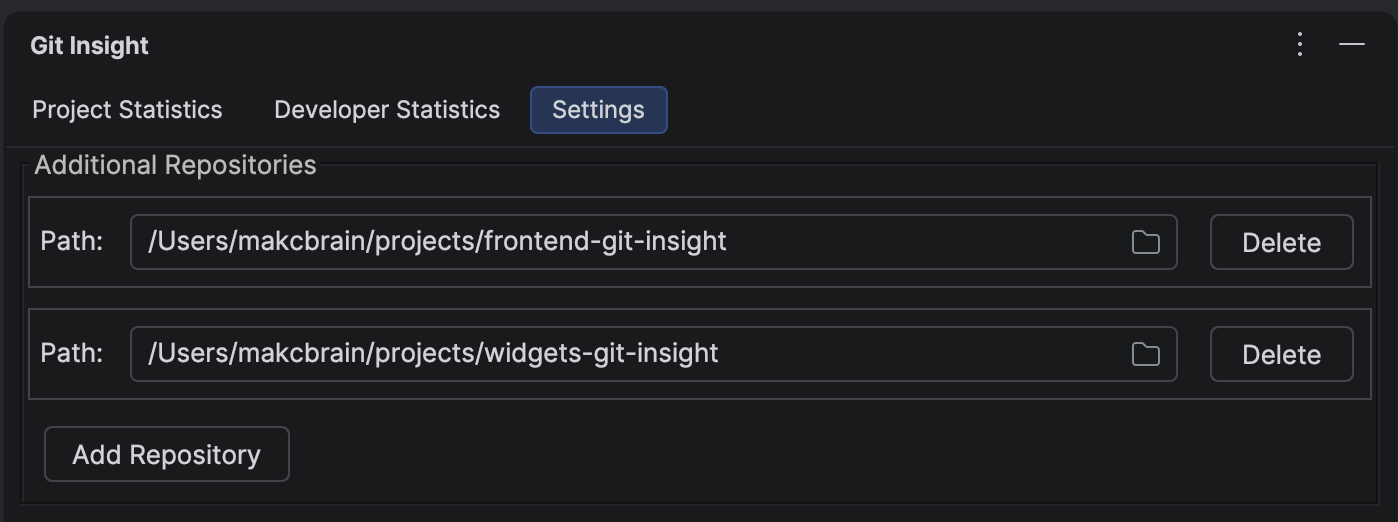
- Open the Settings tab of Git Insight
- Find the Additional Repositories section
- Click Add and enter the path — absolute (e.g.
/Users/me/code/backend) or relative to the current project root (e.g.../backend) - The plugin validates the path and checks that it contains a
.gitdirectory - Once saved, the repository selector appears in the toolbar of the statistics tabs
Using the Repository Selector
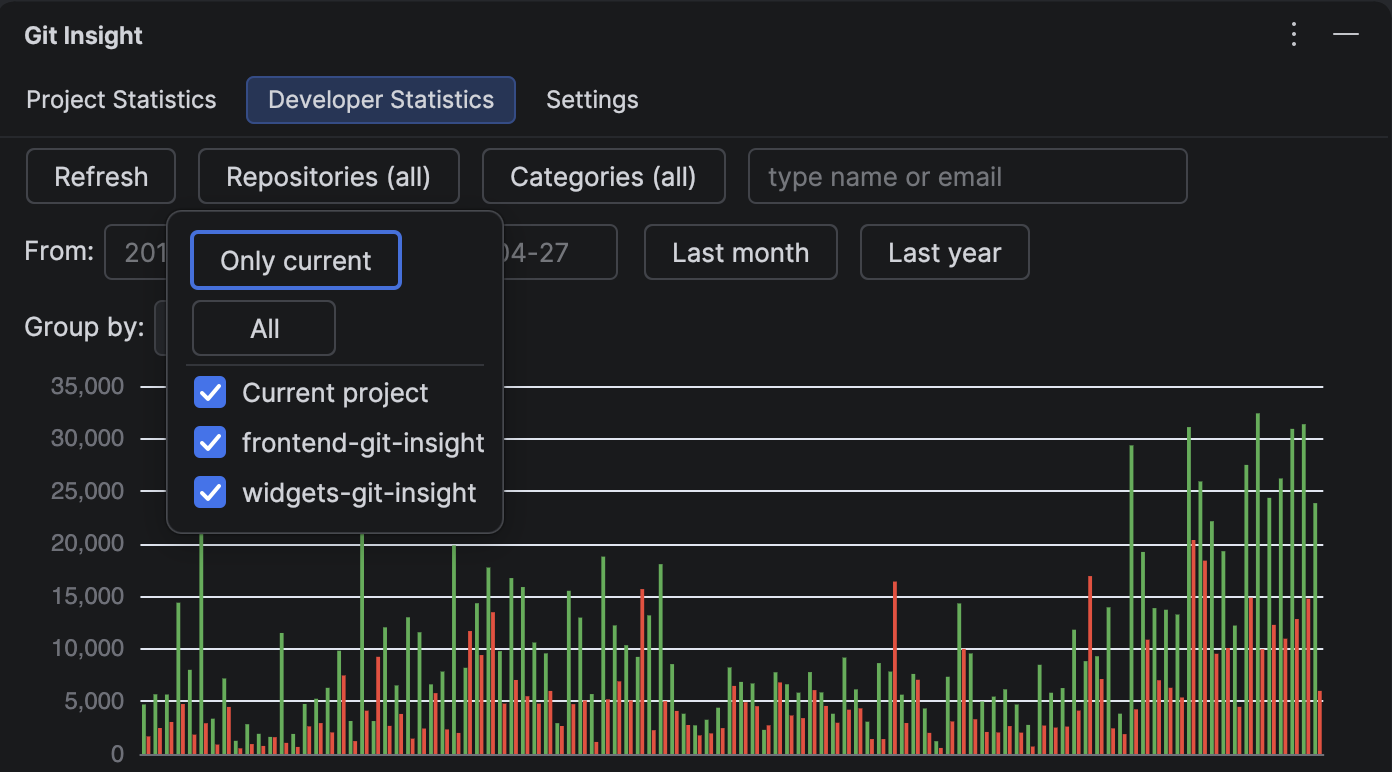
The Repositories button in the toolbar opens a popup with:
- Only current — quick action to scan only the current IDE project repo
- All — quick action to include every configured repository
- A checkbox for Current project plus one per additional repository
The button label reflects the current selection: "Repositories (all)", "Repositories (current)", or "Repositories (N)". Switching the selection recalculates statistics from cache without re-reading git history.
Per-Repository Settings
Several settings are stored per repository rather than globally:
- Exclusion patterns — each repo has its own pattern list, so generated code in backend doesn't affect frontend statistics
- Developer merges — identity merges configured in one repo do not bleed into another
- Suspicious commit detection — average commit size and outlier thresholds are computed per repo
Settings Synchronization
When you open the same repository in another IDE project (for example, as part of a different multi-repo group), Git Insight synchronizes settings bidirectionally through the .idea/gitInsight.xml file and an external settings service. Developer merges configured in project A are automatically available in project B if they include the same repository.
Tip
Commit .idea/gitInsight.xml to your main repository so your team shares the list of additional repositories, per-repo exclusions, and developer merges across the codebase.
Performance
- Lazy scanning — repositories are scanned only when you first open Developer Statistics, not at project startup
- Parallel scanning — selecting multiple repos scans them concurrently, not sequentially
- Per-repo cache — toggling repositories in the selector reuses cached results, so switching views is instant